Posts

How to Delegate Entry Authority for Travel & Expenses in Edison

Image
State of Tennessee employees travel & expenses reimbursements are processed through Edison. To help assist you with properly entering calculating the information, you will want to make sure to have the correct people entered in the system and allow entry authority for your travel & expenses. Watch this short video for general instructions to delegate entry authority in Edison. Step by Step Instructions Sign into Edison by opening your web browser and going to https://hub.edison.tn.gov . After signing in, click Self Service . Click Employee WorkCenter . Click Travel and Expenses Center . Click Delegate Entry Authority . To add a row, click the " + " button. If you do not know the exact User ID of the person you want to delegate entry authority to, click the Search button. Begin typing the name of the person and their name should appear as the system populates the names matching what you are typing. Once the person's name has been located, click their User ID link...
AirDrop and OneDrive for Trial Ad

Image
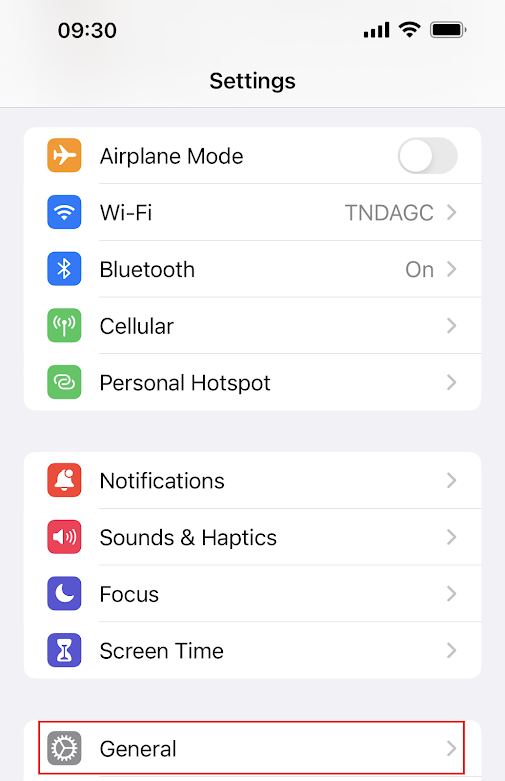
AirDrop and OneDrive for Trial Ad Participants in the Trial Advocacy Training in Memphis 2023 will be using iPads to record and AirDrop to transfer video files used for personal critiquing. If you have an iPhone, please follow these instructions to allow AirDrop to send your iPhone the recorded video file. Allow Shared Files via AirDrop 1. On your iPhone, go to Settings , then press General . 2. Select by pressing AirDrop . 3. Select by pressing Everyone or Everyone for 10 Minutes .

District Office SharePoint

Image
District Office SharePoint  As part of the Microsoft 365 community, you know your account has access to many features of the Microsoft ecosystem. One feature you have access to is instant collaboration with your entire district office staff. While you have access to a robust platform that is ever-changing and improving, one thing you may want to consider is collaborating with not only the offices in your district, but even with outside agencies. Watch this short video for a quick overview of SharePoint.

Install Windows Updates

Image
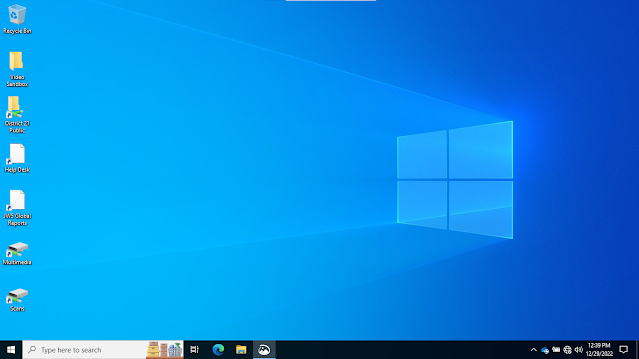
 Install Windows Updates We have noticed many computers on the network not receiving the critical Windows Updates recently, so we are needing to ask you to manually initiate the process when your computer can be utilized, to do so. What that means is, depending on the number of Windows Updates your computer needs, will depend on the amount of time and bandwidth required to patiently allow the updates to be detected, downloaded, installed and more than likely, requires a computer restart. Please make sure before you attempt to initiate the Windows Update process, to close all running applications first, such as Outlook, Excel, web browsers, etc. The video instructions in this post refer to the latest Windows operating system, Windows 11. Screenshots of the process for Windows 10 are included in this post and are very similar, if not identical to the same process for Windows 11 but wanted to include them as well. Install Windows Updates on Windows 10 Computers To begin, go to your Wi...

Microsoft OneDrive Overview, Sharing Files/Folders, and SharePoint

Image
Installed on your computers should be the Microsoft OneDrive application. Watch this video for an overview of exactly how it operates.  

How to use Microsoft Word Form Fields to Auto-fill

Image
Do you work with Word documents where you type information into one area and need the exact typed information to automatically populate in other areas in the document? This prevents you from having to type the identical information multiple times. If this would be helpful to you, you're going to want to watch this training video. For best resolution, always click the "Watch on YouTube" link at the bottom left of the video window.

How to Use Microsoft Outlook to Encrypt Emails

Image
Do you ever need to email sensitive information? We need to stress the importance to NEVER send sensitive information through email. However, if you need to, here is how you do it using Microsoft Outlook in 365.